
Recent versions of Windows Defender blocks the start of the software due to the use of unsigned dll’s that are shipped with the FastSealCreator.
Consult your IT before proceeding with the follow recommendation
Add an Exclusion in Windows Defender
To add exclusion on windows defender follow the steps below (images are from Windows 11):
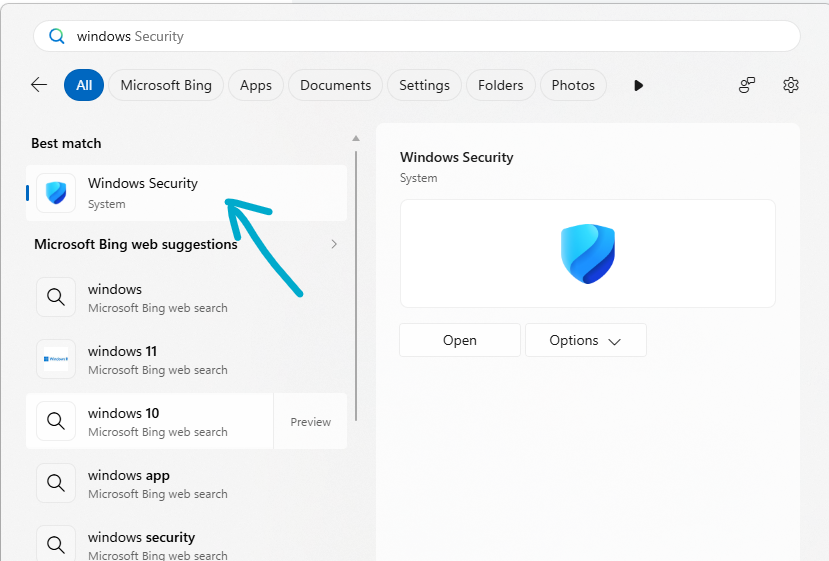
1) Open Windows Security
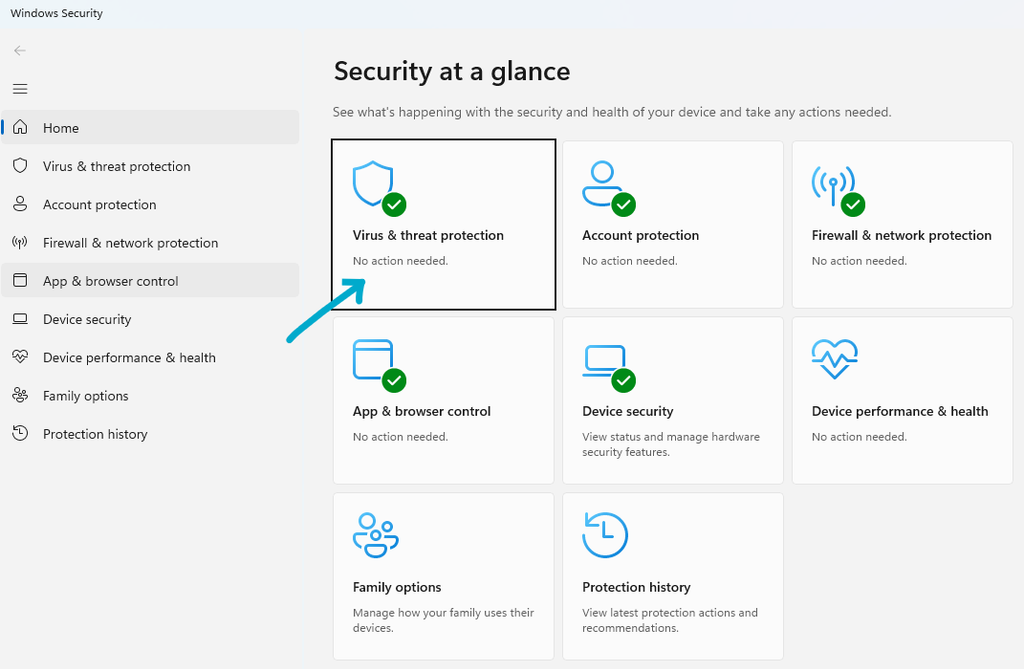
2) Select Virus & threat protection
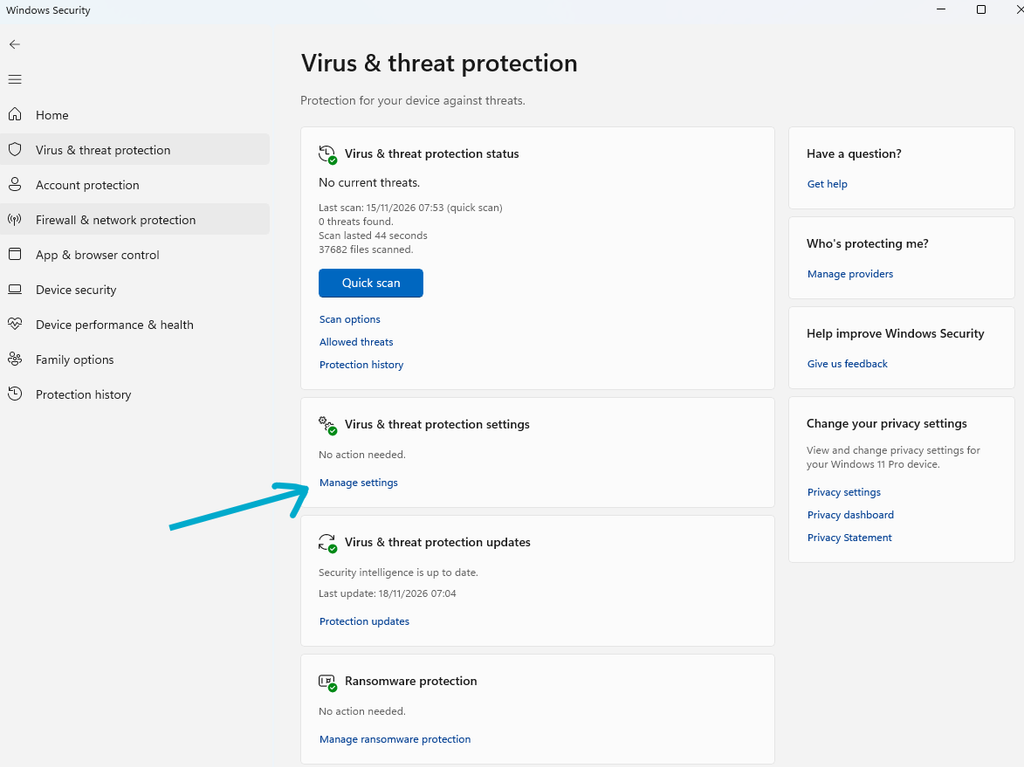
3) Press Manage Settings
4) Scroll down until Exclusions
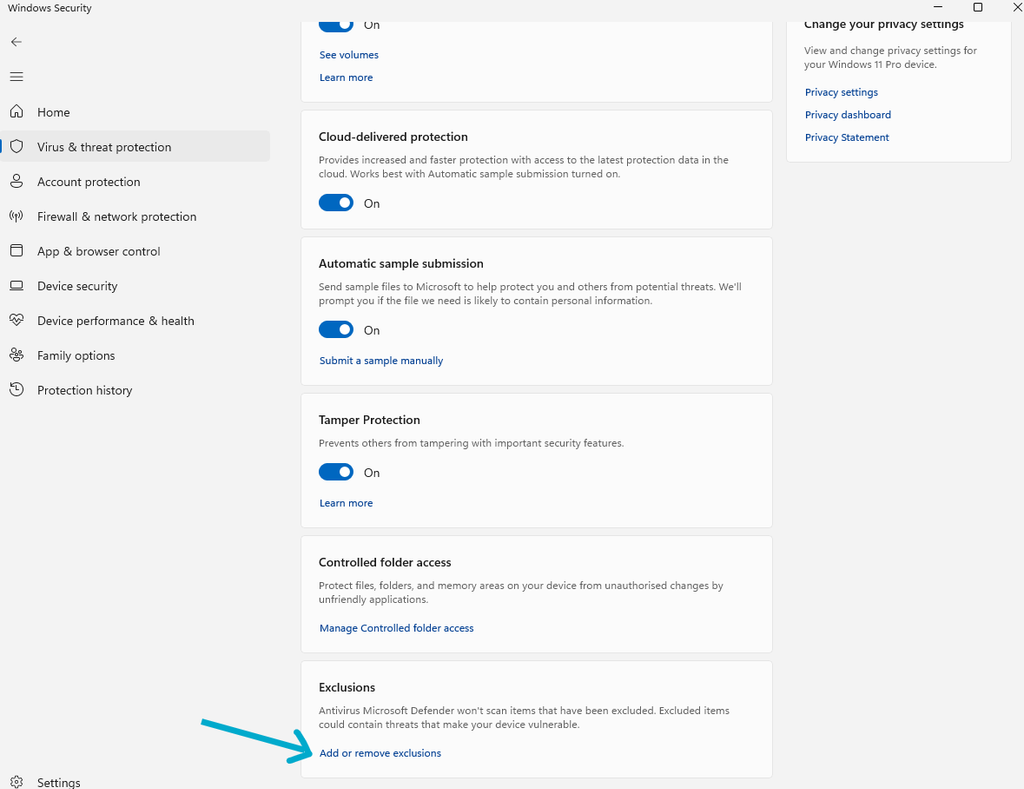
5) Press Add an exclusion, then folder
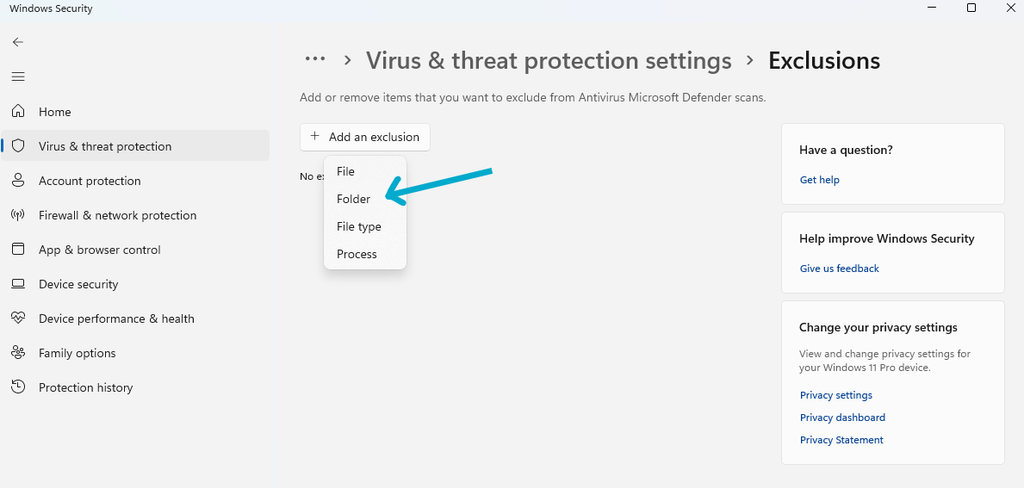
6) Select the folder where the software is installed
The default location is:
C:\Program Files (x86)\Fast Seal Creator 5
After this software should start normally